

Igor
-
Posts
13,669 -
Joined
-
Last visited
-
Days Won
286
Everything posted by Igor
-
Ray, Of course.
-
potwnc, In next Beta 5 you will able use 2-pass encoding of H.264 video.
-
Thanks, Steev! I just reproduced this bug with this project and fixed it. Please wait for Beta 5. The problem happened when "Random show of slides" option was enabled.
-

How to make PicturesToExe more simple and intuitive?
Igor replied to Igor's topic in Suggestions for Next Versions
Thanks, Gary. In this topic I would like to ask not for new/improved desired features, but about existing places (even whole window) in the PicturesToExe which are too complicated or confusing. -
Patrick, Michel, You're welcome to the new topic I just created http://www.picturestoexe.com/forums/index.php?showtopic=8948
-
This problem was raised several times and I agree probably PicturesToExe become more and more complex for average user and we must think more about this problem. So here is my idea. Please write as possibly briefly (better in one paragraph) for each point: 1) Some complicated important feature/place in PicturesToExe. Highlight the importance: High or Medium. 2) Your suggestion how to rework it. 3) What you think about adding of new professional features if they don't disturb current functions. Do they complicate the program or not? For example: Masks objects. Obviously if user is not a professional, he just can avoid using of this feature and program will not be too difficult for him. Is it truth? Thank you in advance!
-
Michel, It's important for me to hear all opinions and responses. Thanks. But it better divide temporal problems of beta-versions (bugs) and more serious problems. I'm thinking about your and previous signals concerning raising complexity of PicturesToExe. I'll write my suggestions and questions in several days. Even if I write in email for some problem - it is not a bug of PTE, please don't consider it as a final answer, I still try to find some solution, please be patient and probably better to avoid pessimistic predictions that doesn't help in solving of problems.
-
Michel, It's only earlier beta versions, I'm continiously working on fixing of discovered problems. If I can't fix some bug quickly it doesn't mean it won't be fixed in nearest beta releases. Final versions usually are very reliable. I'm trying to read personally all responses and reply to every request besides development of PicturesToExe, it is hard work, please understand. I remember about all important problems and questions but I need more time.
-
Thanks, I've understood now. I'm afraid it's impossible with slides due to various logical problems. All slides should have same size and be opaque. Probably we'll realize Swap 3D for objects later and you will able reach desired result.
-
Probably better to see the problem in demo slideshow.
-
Beta 4: http://www.wnsoft.com/apr/apr-deluxe_beta.zip (6 MB) * Fixed various bugs. * Improved reliability.
-
Please explain in more details what and where happens on 1224th slide. Do you mean watching of created slideshow or Objects and animation editor? And what exactlly happens. I wouldn't complicate <%SlideIndex%> script for so specific task. Better to solve the main problem. (However you can rename all JPEG images to 1.jpg and use <%MainImg.FileName%> script.)
-
Lin, The link above doesn't work anymore.
-
Mike, Did you see my demo? http://www.wnsoft.com/test/Swap3D_Demo.exe I've used landscape and portrait photos and transition between them looks fine.
-
Steev, Please attach .pte project file. And if it's possible send me all project files in ZIP archive (Main menu | File | Create backup in ZIP).
-
Please a little patience.
-
I've found the reason of this problem. Container and Mask objects have enabled "Mipmapping" option in these two slideshows (TheDom's demo has not). It's mistake of beta version because user can't turn on this option for Masks. So we'll publish Beta 4 with the fix tomorrow.
-
Umberto, We just fixed this bug with mipmapping, please try updated beta: http://www.wnsoft.com/test/apr-deluxe_beta_fix.zip p.s. we didn't change anything for "acceleration after fade" problem yet.
-
Umberto, You are right! Really images with enabled "Mipmapping" option were not created and pre-loaded in advance. We just fixed this bug. Please wait for Beta 4. Probably it's main reason of jumps in animation you've found (if you slides contains objects with enabled "Mip-mapping..." option).
-
Thanks, Michel, I'll explore that EXE file, too.
-
I've decompiled this demo and found that project file is damaged. It really interesting why it works sometimes. I'll write to Lin about this problem. So we need to wait to test reworked EXE file.
-
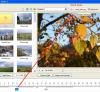
Patrick, Please look on attached screenshot. p.s. I'm pleased to see that you use new version
-
Ken, It fixes other bugs too, please read this topic: http://www.picturestoexe.com/forums/index....ost&p=57544 I highly recommend always install newest beta.
-
The topic is closed. See new topic: http://www.picturestoexe.com/forums/index.php?showtopic=8934
-
Bug-reports on version 5.6 Beta Archived topic: http://www.picturestoexe.com/forums/index.php?showtopic=8903 Umberto, Regarding your post: http://www.picturestoexe.com/forums/index....ost&p=57810 We'll check up. Apparently it happens because of slow video card. on fast enough video card it should works fine. Several users even wrote us that new version work more smooth now.
