

Rosemary A
-
Posts
428 -
Joined
-
Last visited
-
Days Won
5
Everything posted by Rosemary A
-
Thank you, Alex for sharing this slidestyle. Much appreciated. Rosemary
-
PTE AV Studio 12 transferring styles and transitions [SOLVED]
Rosemary A replied to Rosemary A's topic in General Discussion
Thank you Igor and Dave for hanging in with me. I printed out the preference screen from both programs and eventually noted that PTE 11 was on One Drive! All fixed now and again, Thank you. Rosemary -
PTE AV Studio 12 transferring styles and transitions [SOLVED]
Rosemary A replied to Rosemary A's topic in General Discussion
Thank you Dave for all your hard work. Yes I am on a PC Windows11 I shall keep trying! Rosemary -
PTE AV Studio 12 transferring styles and transitions [SOLVED]
Rosemary A replied to Rosemary A's topic in General Discussion
Dave, thank you for getting back to me. I can't see any difference in the folders for 11 and 12. I have removed 12 again and redownloaded. Still no styles or transition transfer and no option to carry them over from 11. I seem to remember with previous versions that transfer was offered. Rosemary -
I have just bought PTE AV Studio 12. I didn't see the option to transfer my slide styles or transitions from PTE 11 to PTE12. Is this possible or am I missing something (again) Thanks, Rosemary
-
Hi Will there be video help with the new features of PTE AV Studio 12? I for one would greatly appreciate one especially on how to see the slide styles. Whatever I have done, I can only see the option of choosing the number of slides ie 2 or 3 etc. No names no examples. Thank you, Rosemary
-
Thank you Dave. I really appreciate your help too. Rosemary
-
Thanks Igor. I know nothing about programming. All I know is that in other programs one just selects the text size, the font and colour. Line spacing is an option too. Easy for me to say I realize but the option would be great. Good luck. Rosemary
-
Thanks Jill,. I shall have a play with this. It doesn't stop me from hoping for the option to set a text size though. I shall live in hope. Rosemary
-
Hi Jill, Thank you for getting back to me. Thank you for the tip about copying the text object in O&A. I tend to use a lot of text, usually a slide worth to explain what or where we were. I find that after a few years I forget where the picture is from or about! I feel that if the text isn't the same size throughout the show, it looks untidy. The intro and credits can be different text or size but the main body text, I feel, should be uniform just like a book or newspaper text. I long for the day when one can just select a size for the text and that is it - no copying and pasting needed. Thanks again Jill, Rosemary
-
Is the ability to choose a font size and maintain it throughout the show going to be available in PTE AV Studio 12? At present one has to copy and paste the original slide and delete its text and replace it with the new text. I find it unwieldy especially in such a sophisticated program. Rosemary
-
Happy New Year to everyone. I hope 2026 brings us world peace and lots of photos to use in PTE 12. Rosemary
-
Thank you Alex for this beautiful Christmas show. Thank you for all that you contribute to this forum and for your generosity throughout the year. Merry Christmas and a Happy New Year to you and yours. Rosemary
-
Hi Digatral, Thank you for sharing these two beautiful videos and for the information about them. Always great to learn about other bird species. Rosemary
-
Thank you 2007 for sharing this beautiful show. Autumn is truly beautiful and you captured the season so well. Rosemary
-
Thank you AleAle 5025. Yes I downloaded the cube style. It was because of my lack of computer skills and nothing to do with the style download. BTW, I really appreciate your work and your willingness to share with us less skilled PTE users. Thank you, Rosemary
-
Thank you. I have managed to download the style. Rosemary
-
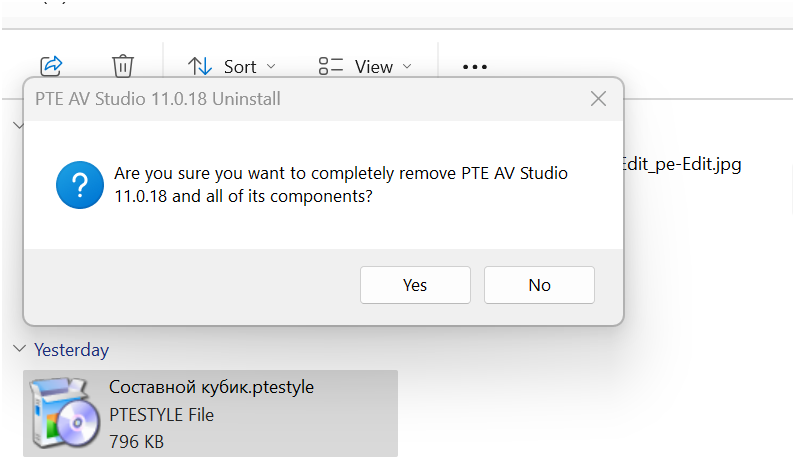
Hi, When I try to download Ale Ale 5025's composite cube 3D I get a screen asking me if I wish to completely remove PTE! I am assuming that the style is a Zip as PTE does not show the download when I try to access it through Tools, Import Style. I would be grateful if someone can help. Rosemary
-
Unfortunately, in my case I didn't copy those 3 files. So I shall try manually installing each slide style.
-
Hi DG. I think you have solved my problem. No I did not include the 1st 3 items that you have highlighted. I guess there is no other solution other than trying to manually enter each slide style into PTE. I have 1600 of them. Thank you, Rosemary
-
Thank you so much DaveGee and Igor. I have tried to follow your clear screen shots, Dave but alas, no luck with PTE recognizing the pathway. I have found where I think PTE is storing the slide styles. They are on one drive but all that is there is the slide styles which come with the program. I have tried to create a pathway to my folder of the complete list of my slide styles on my F drive - not successful. I have copied the slide style folder to C drive which is where the PTEAv Studio is installed. Still only the styles which come with the program can be accessed. Rosemary
-
Seismic Guy, I couldn't agree more! I have a lot of slide styles and followed the excellent advise to store them in a separate folder in case of need. Now I need them but cannot work out how to get them back into PTE. Definitely needs attention. Rosemary
-
Hi, I have got my new drive installed and it seems to be working well! I still don't know how to get PTE AV Studio to recognize my slide styles which are in a separate folder. When I open the folder of styles all I see are numbers, no names. Can anyone help me to access them through PTE. I am using Windows 11 Thanks, Rosemary
-
Thanks Jill and SeismicGuy. Your idea would probably work, Jill. Unfortunately, we have found out that my drive is not working and was storing its contents on my back up drive. More investigations are needed! Rosemary
-
I have updated my computer and I now find that my slide styles have not transferred over to PTE. Luckily I have the slide styles in a separate folder but do not know how to get them back into PTE. I have lots of styles so would prefer to add them all at the same time if possible and not individually. Can this be achieved and if so how? Thanks everyone, Rosemary

